What Does a Backlink Look Like? (Visual Examples, Types & Social Links Explained)
When you first start learning about Search Engine Optimization (SEO), the term "backlink" is everywhere. Every expert tells you that you need them to rank on Google. But this leads to a very common frustration for beginners: What is a backlink in simple words? What do they actually look like on a page?
If you are confused about the difference between a standard URL and a backlink, or wondering if posting your website on Facebook or YouTube actually counts as link-building, you are in the right place.
In this beginner-friendly guide, we will visually break down the anatomy of a backlink, explain the difference between good and bad links, and reveal exactly how many backlinks are safe to build per month in 2026.
Table of Contents
What is a Backlink in Simple Words?
In simple words, a backlink is when another website mentions your website and creates a clickable link that points to your page.
Think of the internet as a massive city, and websites are the buildings. A backlink is simply a road connecting one building to another. When search engines (like Google) crawl the internet, they use these "roads" to discover new pages. If a lot of important websites build roads to your site, Google assumes your site must also be important.
Another name for a backlink is an "Inbound Link" or "Incoming Link."
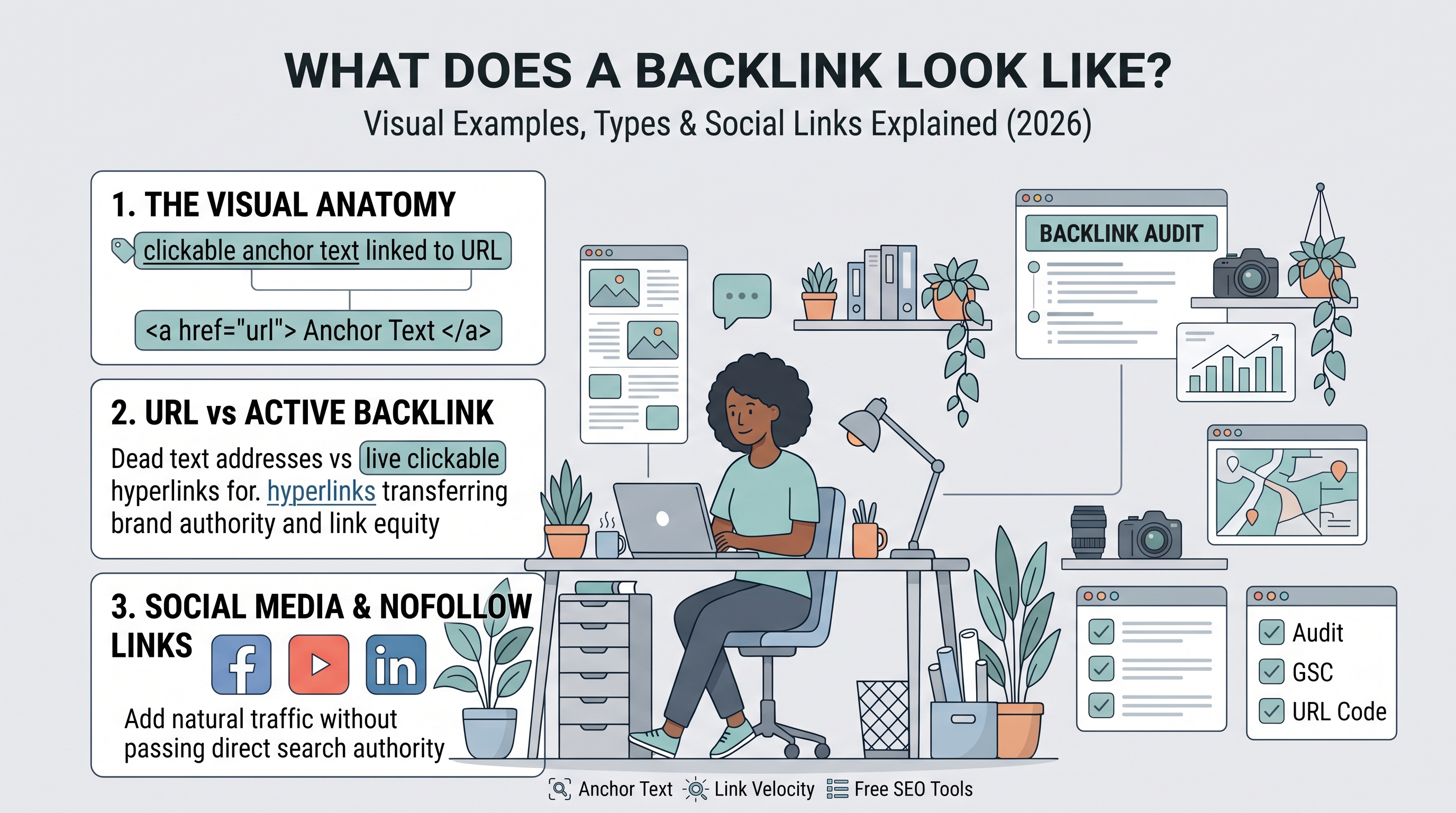
What Do Backlinks Look Like? (The Anatomy)
A backlink does not look like complex computer code to the average reader. It just looks like clickable text on a page.
Visual Example: Let's say a tech blog is writing an article about developer tools. They might write:
"If you want to check your website's keyword density for free, we highly recommend using the [Tooliby Keyword Checker] before publishing."
In that sentence, the bolded, clickable text is the backlink.
The HTML Anatomy:
Behind the scenes, the code for that backlink looks like this:
<a href="https://tooliby.com/tools/keyword-density-checker">Tooliby Keyword Checker</a>
The URL (
href): This is the destination where the user will go when they click.The Anchor Text: This is the visible text ("Tooliby Keyword Checker") that users actually click on. Anchor text is incredibly important because it tells Google what your page is about.
URL vs. Backlink: What is the Difference?
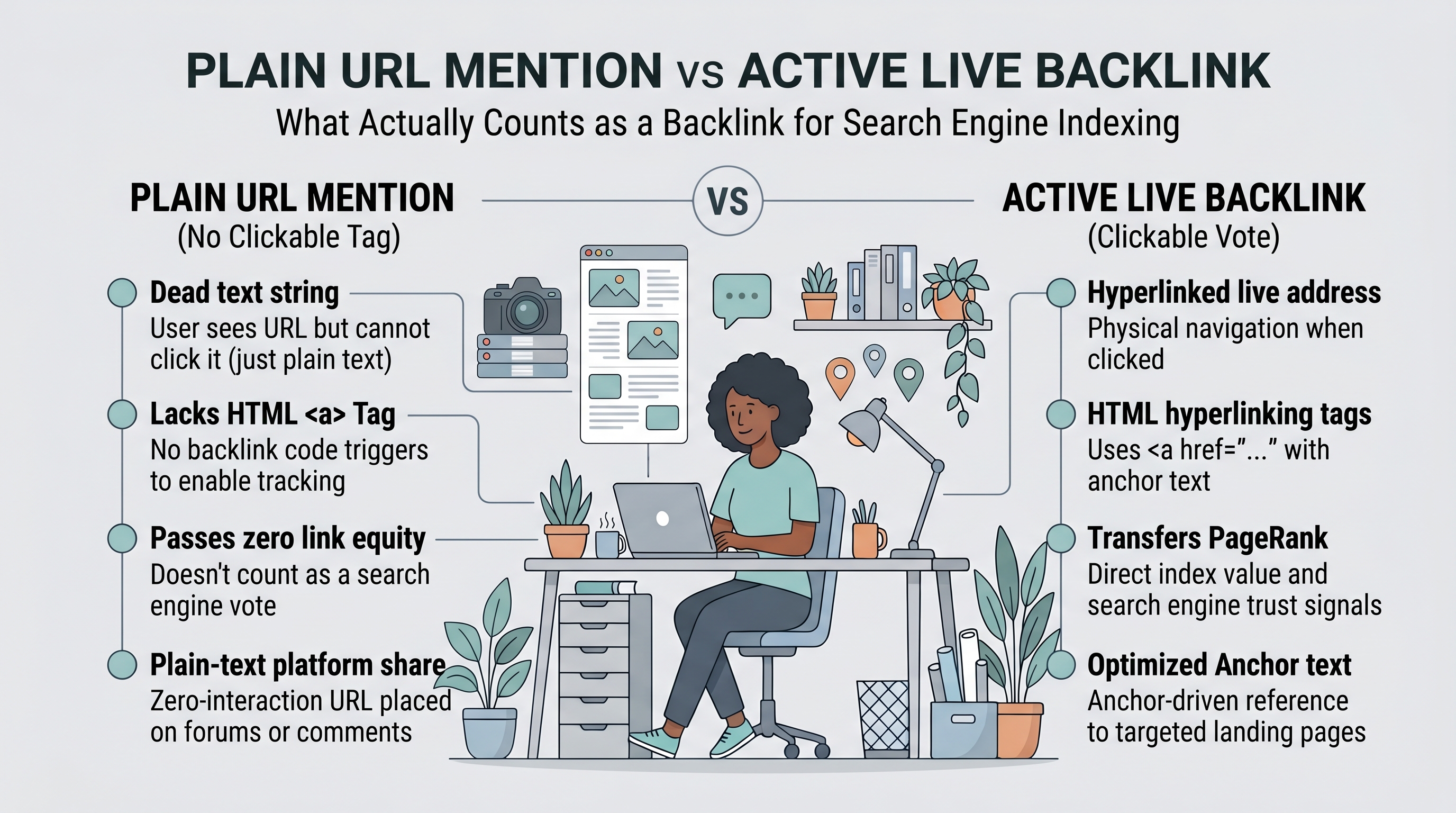
A common beginner question is: What is the difference between a URL and a backlink?
A URL (Uniform Resource Locator): This is simply your website's address (e.g.,
www.yourwebsite.com). It is just text. If someone types it into a forum but it is not clickable, it is just a URL mention, not a backlink.A Backlink: This is an active, clickable hyperlink placed on someone else's website that physically transports a user to your URL when clicked.
Do Social Media Posts Count as Backlinks? (Facebook & YouTube)
If you paste your website link on your Facebook wall or in a YouTube video description, does that count as an SEO backlink?
Yes and No. Here is how it works: There are two main types of backlinks in SEO: DoFollow and NoFollow.
DoFollow Links: These are the links that pass "SEO power" (PageRank) from one site to another. They directly improve your Google rankings.
NoFollow Links: These links have a special tag (
rel="nofollow") telling Google not to pass SEO power.
Are Facebook and YouTube backlinks? Yes, they are backlinks, but they are NoFollow links. Putting your link on Facebook, X (Twitter), Instagram, or YouTube will not directly boost your Domain Authority.
However, they are still extremely valuable! Social media links drive real human traffic to your site, and a natural, safe backlink profile must contain a healthy mix of both DoFollow (from blogs) and NoFollow (from social media) links.
Good vs. Bad Backlinks: What to Avoid
Not all backlinks are good. In fact, bad backlinks can get your website penalized.
The 3 Main Features of a Quality Backlink:
Relevance: A link from a tech blog to your software website is highly relevant. A link from a food blog to your software website looks suspicious.
Authority: A link from a trusted, high-DA site (like Forbes or TechCrunch) is worth 100x more than a link from a brand-new, unknown blog.
Natural Anchor Text: If 1,000 websites link to you using the exact same phrase (e.g., "Buy Cheap Software"), Google will flag it as spam.
What kinds of backlinks should you avoid?
Links purchased from massive "Link Farms" or private blog networks (PBNs).
Links placed in the comments sections of random, unrelated blogs using automated bot software.
Hidden links (white text on a white background).
How Many Backlinks Per Month is Safe?
When beginners ask, "How many backlinks per month is safe?", the answer depends entirely on the age and traffic of your website.
This concept is called Link Velocity—the speed at which you acquire new links.
Brand New Website (Months 1-3): Getting 500 links in your first week looks incredibly unnatural to Google. Aim for 5 to 15 high-quality links per month (like profile creations, directory submissions, and a few guest posts).
Established Website: If your site already gets 10,000 visitors a month, acquiring 50 to 100 links per month is completely natural.
Rule of thumb: Never build links faster than your organic traffic is growing.
How Beginners Can Format Backlinks Using Tooliby
If you are a beginner building your first foundational Web 2.0 or profile backlinks, ensuring the link is formatted correctly is crucial. A broken URL passes zero SEO value.
You can safely format your URLs and check your page structure for free using the
Format Complex Links: Ensure your destination URLs don't break when pasted into strict directories. Use the
Tooliby URL Encoder/Decoder Check Your Anchor Text Content: Before publishing an article with a backlink, use the
Tooliby Keyword Density Checker
Frequently Asked Questions (FAQs)
1. Are backlinks free?
Yes, the best backlinks are earned for free by creating highly valuable content, tools, or data that other websites naturally want to link to.
2. How do I know if my backlinks are bad?
You can use tools like Google Search Console to see all your backlinks. If you notice thousands of links coming from foreign websites, adult sites, or spammy domains with zero relevance to your niche, those are toxic backlinks.
3. Do you really need backlinks?
Yes. While amazing content is the foundation of SEO, backlinks act as the "votes" that convince Google your content is actually the best available option to show users.
Start building your backlink profile the right way today. Use the 400+ Free Online Web Tools at
What Is Tooliby Blog?
Tooliby Blog is a free publication covering developer tools, SEO, AI prompts and productivity — written by real practitioners who use these tools daily. No paywall, no account needed. Just practical content you can act on.
Can I share this article?
Yes — use the share buttons above to post on Twitter, LinkedIn, Facebook or WhatsApp. The more people read it, the better.
How do I write for Tooliby?
Click Write for Us and submit your article. We review within 48 hours and publish with full author credit and bio.