What Causes Broken Links on Websites? (Top Reasons & Real Examples)
Every webmaster has experienced the frustration of clicking a hyperlink only to be greeted by a glaring "404 Not Found" error. While we know that broken links are terrible for User Experience (UX) and disastrous for Search Engine Optimization (SEO), many beginners and even seasoned developers struggle to understand the root of the problem. When auditing a site with hundreds of URLs, the most pressing questions are: What causes broken links on websites in the first place? How do they happen seemingly overnight? And what are some examples of broken links at the code level?
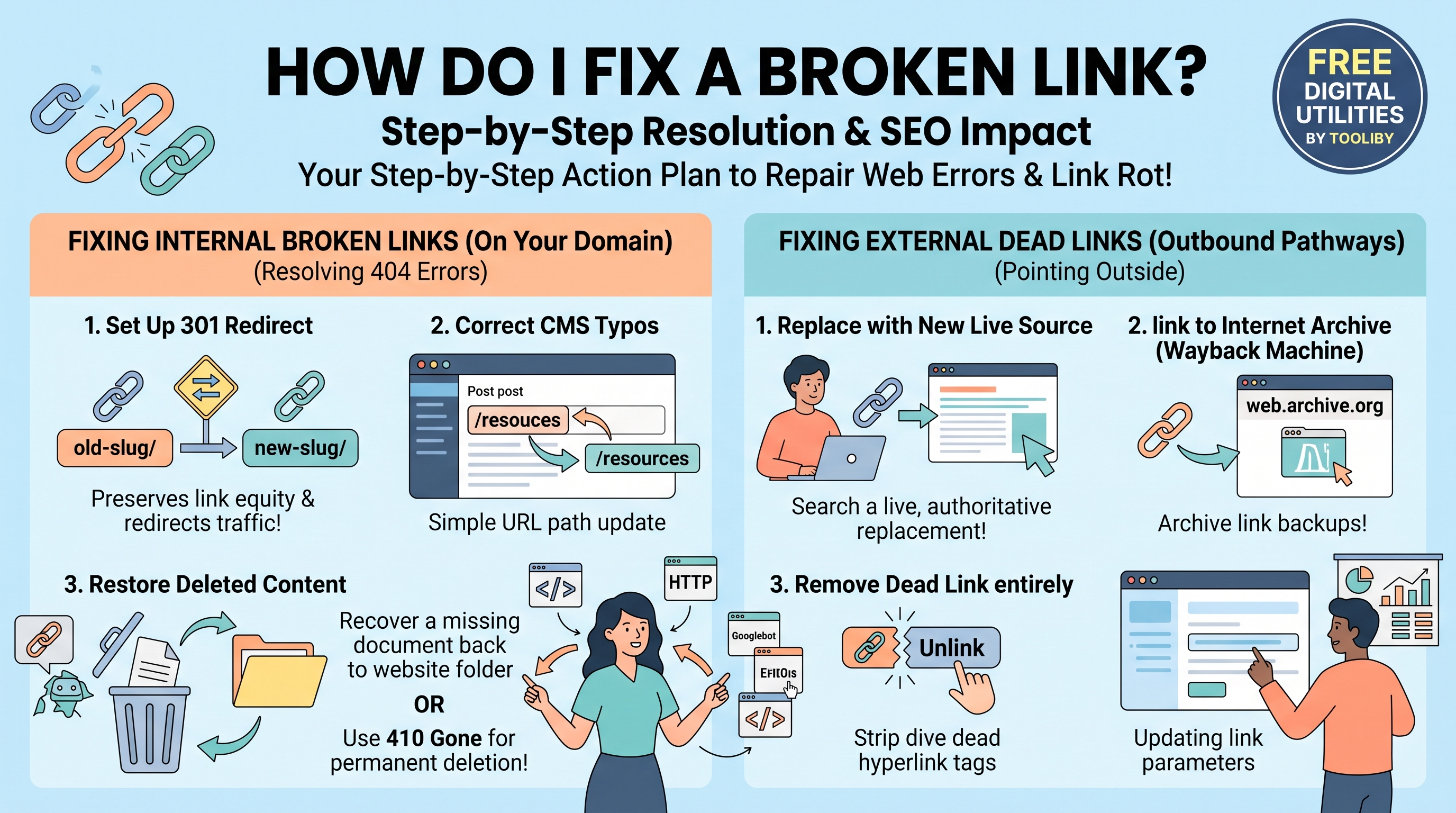
If your site is bleeding link equity due to link rot, you must understand the technical triggers to prevent them from recurring. The short answer is: Broken links are primarily caused by typographical errors in the HTML code, changing a page's URL slug without setting up a 301 redirect, deleting old content or e-commerce products, and external websites shutting down or changing their domain architectures.
In this comprehensive diagnostic guide, we will explore the deep technical reasons behind link rot. We will examine the top causes of broken links, look at real-world code examples to see exactly how these errors manifest, and show you how to audit your site architecture using free utilities from Tooliby.
Table of Contents
The Short Answer: Lead with the Core Causes
If you want to quickly diagnose why your website is returning 404 errors, here is the immediate answer to what causes broken links on websites:
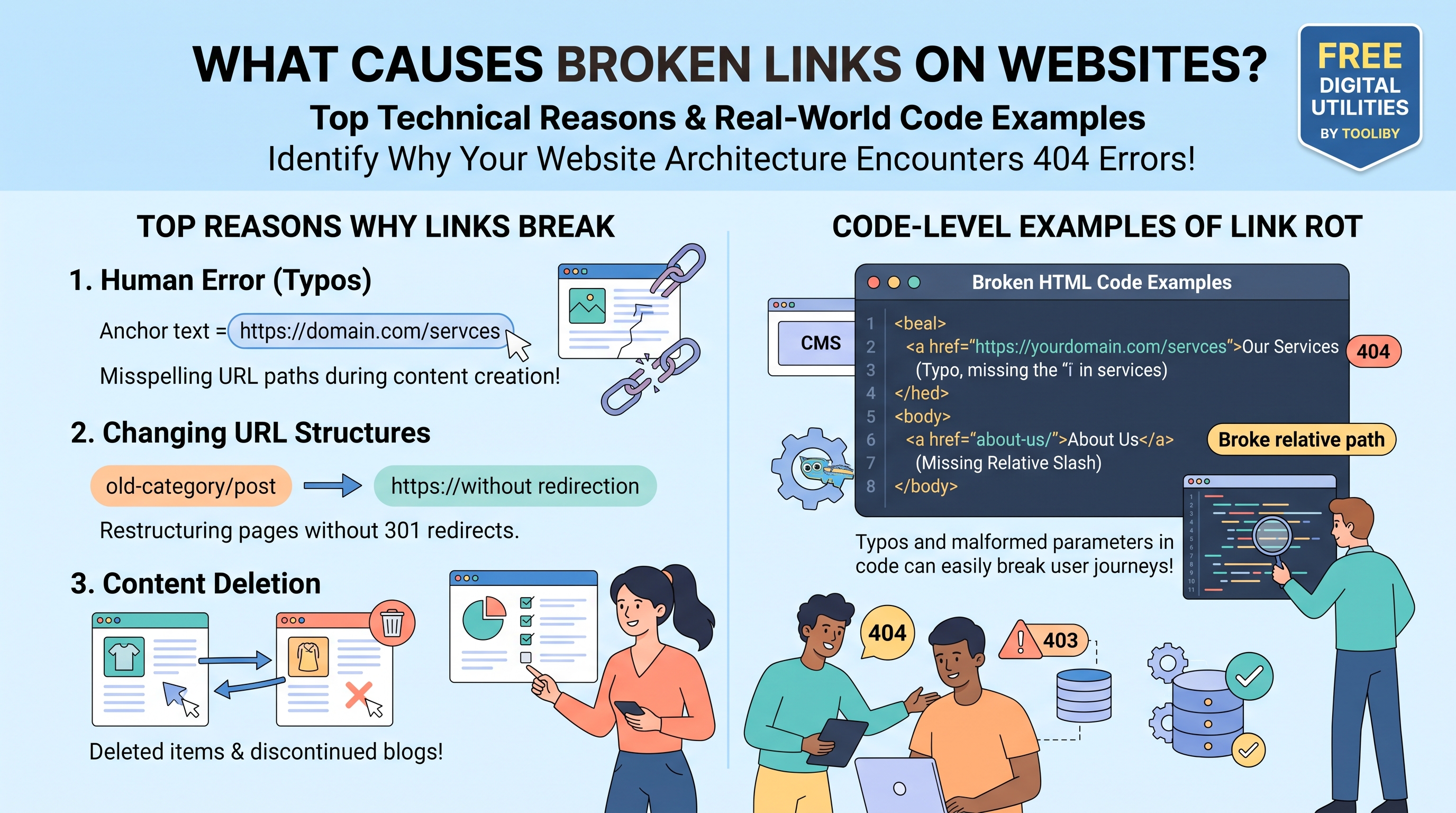
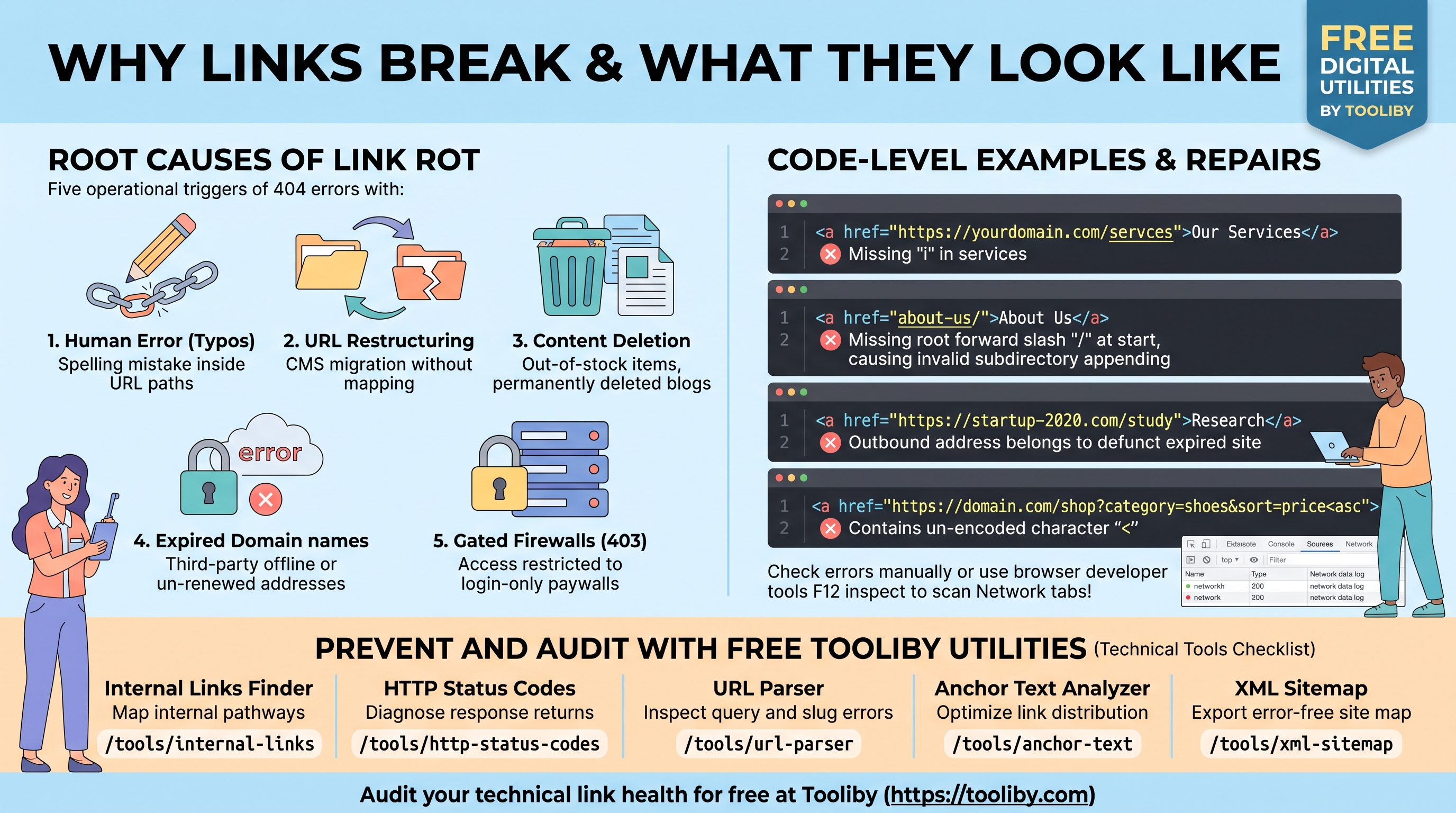
Human Error (Typos): A simple spelling mistake in the hyperlink's URL string during content creation.
URL Restructuring: Changing the permalink of a published post (e.g., from
/blog/old-titleto/blog/new-title) without implementing a 301 redirect.Content Deletion: Permanently deleting an old blog post, a discontinued service page, or an out-of-stock e-commerce product while internal links still point to it.
Website Migrations: Moving a site from one Content Management System (CMS) to another, causing entire category folders to change their URL structure.
External Link Rot: Linking out to a third-party website that later goes offline, deletes the referenced article, or forgets to renew its domain name.
Understanding these triggers allows you to move from fixing broken links to preventing them.
Top 5 Reasons: What Causes Broken Links on Websites?
Let's dive deeper into the technical mechanics of why links break. Link rot rarely happens because of a server crash; it is almost always a byproduct of website evolution and human oversight.
1. Typographical Errors in the HTML
The most common cause of a broken link is a simple typo. When webmasters manually type out URLs instead of copying and pasting them, mistakes happen. A missing letter, an accidental double slash (//), or typing .con instead of .com will instantly break the link. Because the browser looks for the exact string of characters, even one wrong letter results in a 404 error.
2. CMS Migrations & URL Restructuring
When a business upgrades its website (for example, moving from WordPress to Shopify, or Magento to BigCommerce), the fundamental URL architecture often changes.
Old Structure:
[domain.com/category/product-name](https://domain.com/category/product-name)New Structure:
[domain.com/products/product-name](https://domain.com/products/product-name)If the development team fails to map these changes and implement server-wide 301 redirects during the migration, every single historical internal link and external backlink pointing to the old structure will break simultaneously.
3. Deleted Pages and Out-of-Stock Products
Websites are dynamic. E-commerce stores routinely delete product pages when items are permanently discontinued. Bloggers delete outdated, irrelevant articles. However, if you delete a page but forget to remove the internal links pointing to it from your homepage, sidebar, or older blog posts, you create an internal broken link.
4. Changing Domain Names Without Redirects
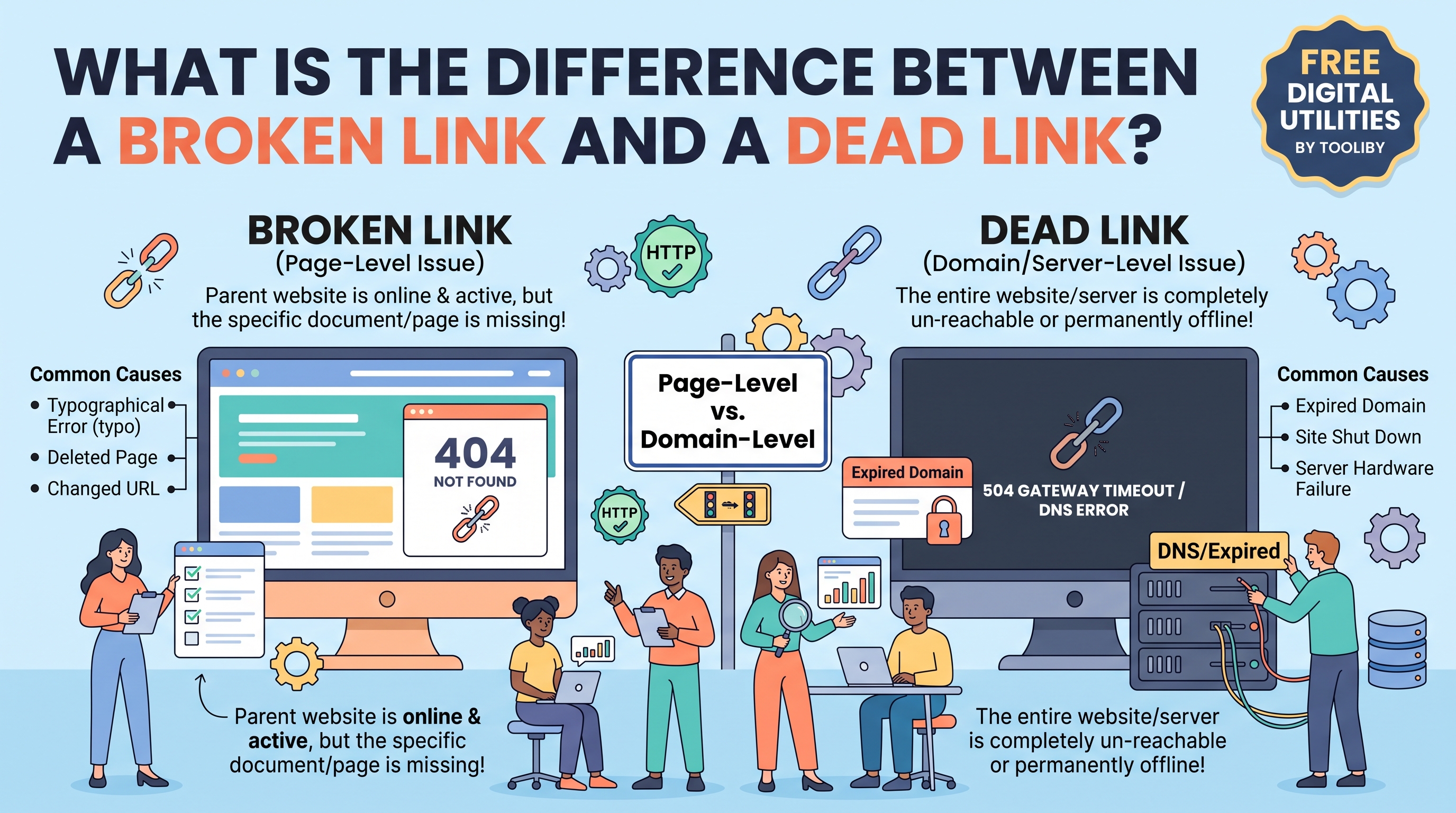
Sometimes a brand undergoes a complete redesign and changes its primary domain name (e.g., changing oldbrand.com to newbrand.com). If they let the old domain expire or fail to set up domain-level redirects, every external website that linked to the old brand will now be hosting a broken, dead link.
5. Content Hidden Behind Firewalls or Paywalls
A link can also "break" for regular users if the webmaster changes the privacy settings of the destination page. If an article that was once public is suddenly moved behind a membership paywall or an intranet login screen, unauthorized users clicking the link will receive a 403 Forbidden or 401 Unauthorized error, acting essentially as a broken link.
Code-Level Breakdown: What Are Some Examples of Broken Links?
To truly understand the mechanics of link rot, developers and technical SEOs often ask: What are some examples of broken links at the code level?
Let's look at how these errors actually appear in your website's HTML source code.
Example 1: The Classic Typo
Imagine you are trying to link to your "Services" page, which is located at [https://yourdomain.com/services](https://yourdomain.com/services).
Broken HTML Code:
<a href="https://yourdomain.com/servces">Our Servicesa>
Why it breaks: The user accidentally typed "servces" instead of "services". The server looks for a folder named "servces", cannot find it, and returns a 404 error.
Example 2: The Broken Relative Link
Web developers often use "relative links" (links that don't include the full [https://domain.com](https://domain.com) part) to link internal pages.
Correct Relative Link:
<a href="/about-us/">About Usa>
Broken HTML Code:
<a href="about-us/">About Usa>
Why it breaks: Missing the leading forward slash (/) means the browser will append "about-us/" to the current directory rather than the root directory. If you are on [domain.com/blog/post](https://domain.com/blog/post), clicking the link will try to take you to [domain.com/blog/post/about-us/](https://domain.com/blog/post/about-us/), which does not exist.
Example 3: The Dead External Link
You wrote an article in 2020 and cited a great study from a startup website.
HTML Code:
<a href="https://startup-website-2020.com/research-study">Read the Researcha>
Why it breaks: In 2026, that startup went out of business and their domain expired. The code itself is perfectly written, but because the destination server no longer exists, the browser will return a DNS resolution error or a connection timeout.
Example 4: The Malformed Query Parameter
Sometimes, URLs contain complex query strings (the characters after a ? in a URL).
Broken HTML Code:
<a href="https://domain.com/shop?category=shoes&sort=price> Cheap Shoesa>
Why it breaks: The URL contains an unencoded angle bracket (<) instead of the proper encoding or an equal sign (=). The server fails to parse the parameter and breaks the page load.
The Domino Effect of Broken Links on Your SEO
You now know what causes broken links on websites, but why should you prioritize fixing them?
Every broken link on your website triggers a negative domino effect:
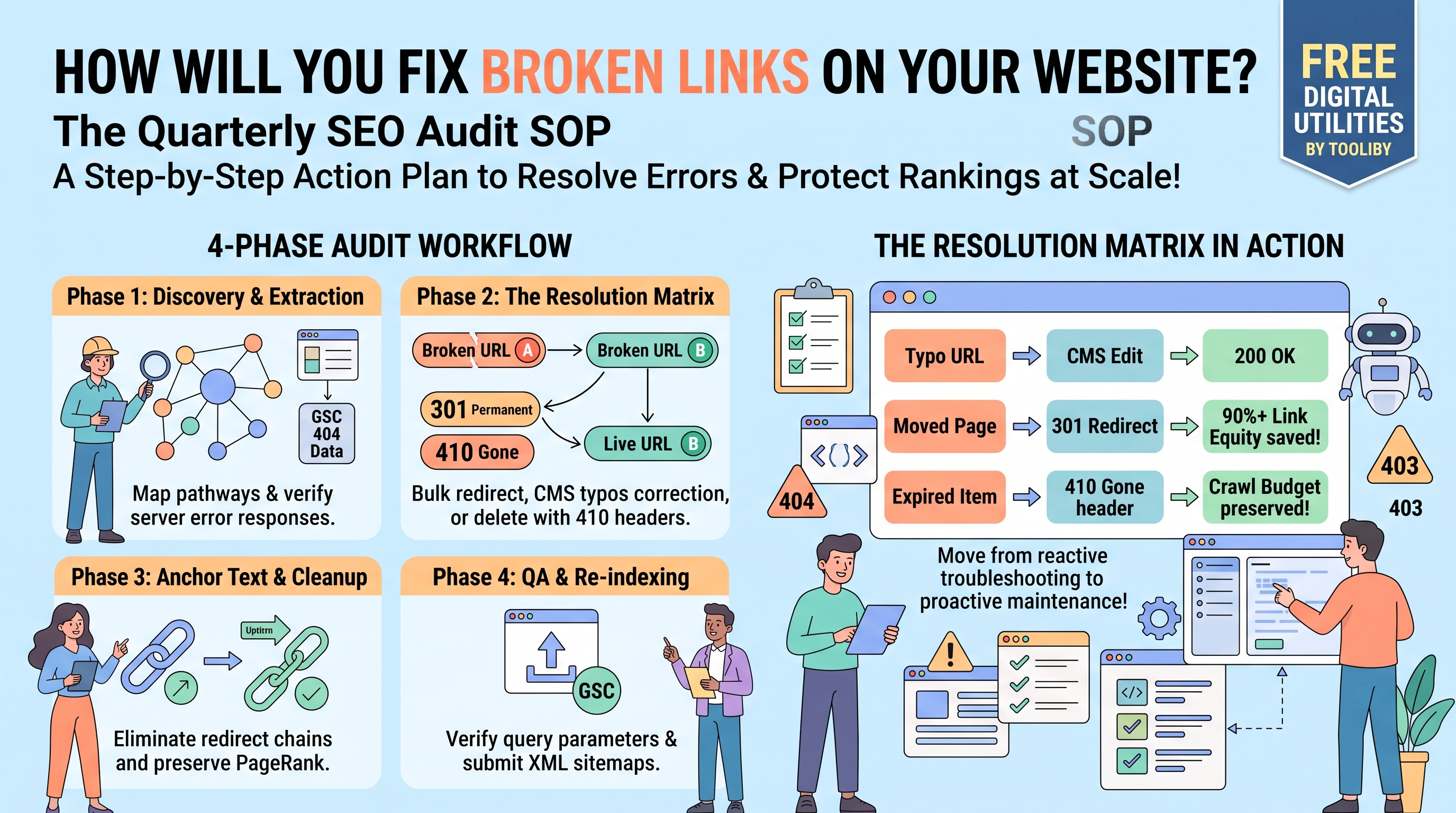
Wasted Crawl Budget: Search engines assign a specific "allowance" of time to crawl your site. If Googlebot hits dozens of 404 errors caused by CMS typos, it leaves your site without indexing your newly published content.
Loss of Link Equity: PageRank flows through links. A broken link acts as a dam, stopping the flow of SEO authority to your important product pages and pillar blogs.
Pogo-Sticking: When a user clicks a broken link, they experience immediate frustration. They will hit the "Back" button and leave your site, increasing your bounce rate—a strong negative signal to Google's ranking algorithms.
Diagnose and Prevent Link Rot with Tooliby
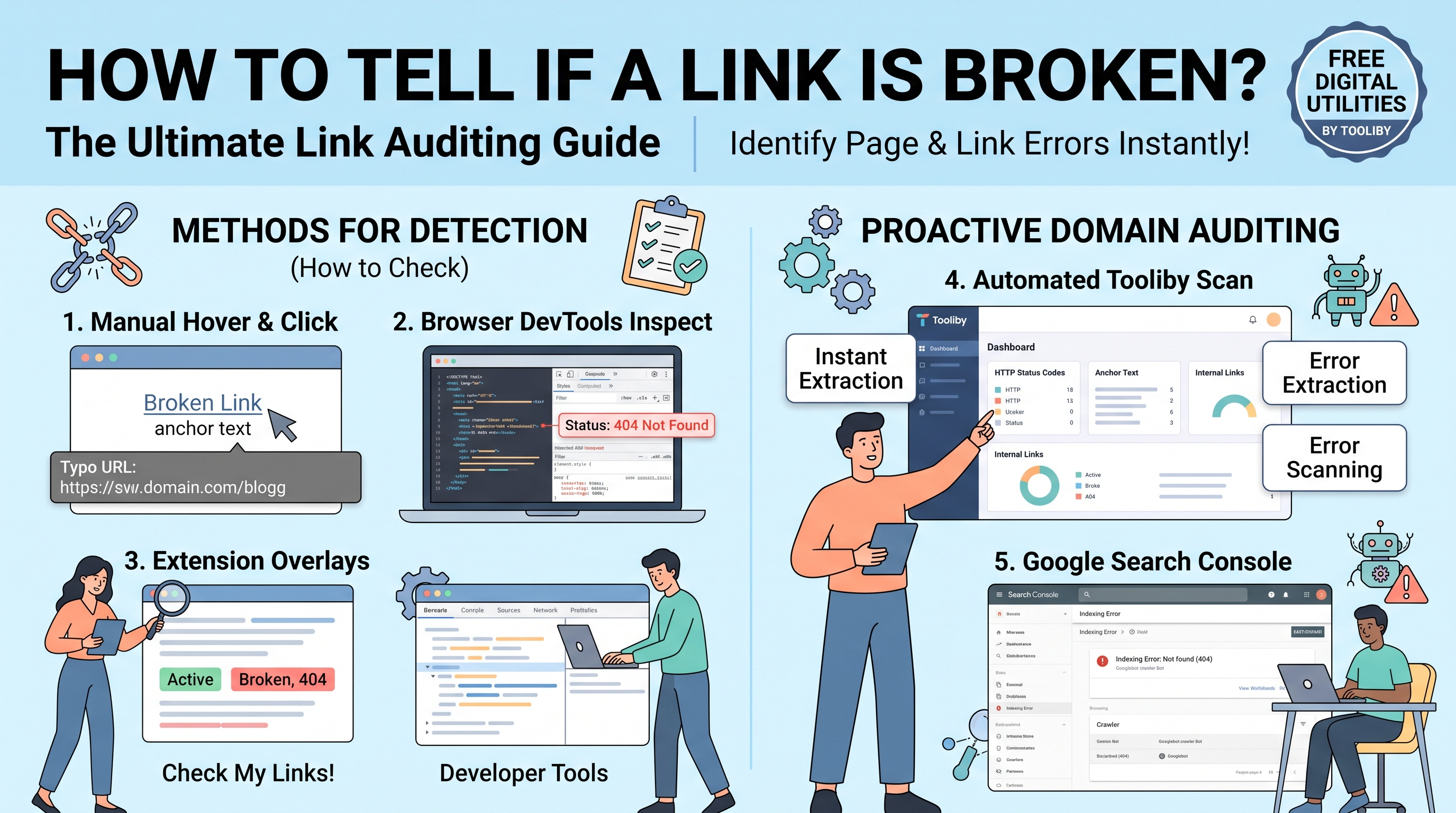
Now that you understand the root causes and examples of broken links, you need to audit your site architecture. You cannot find every missing slash or typo manually. You need automated technical utilities.
You can instantly audit and diagnose your website's URL structure entirely for free using
Map Your Internal Architecture: Discover hidden typos and broken relative paths across your pages using the
Internal Links Finder Diagnose Server Statuses: Not sure if a link is returning a 404 Not Found or a 403 Forbidden? Verify the exact server response using the
HTTP Status Codes Inspect Malformed Links: Break down complex URLs and identify broken query parameters or unencoded characters using the
URL Parser Audit Anchor Text: Ensure your internal linking text is pointing to healthy, live URLs using the
Anchor Text Analyzer Submit Clean Architecture: Prevent search engines from crawling broken pathways by generating a pristine, error-free map using the
XML Sitemap Generator
By integrating these tools into your weekly SEO workflow, you can catch typos and URL restructuring errors before they ever impact your organic rankings.
Frequently Asked Questions (FAQs)
1. What causes broken links on websites?
Broken links are primarily caused by human typos in the URL, changing a page's permalink without a 301 redirect, permanently deleting old content or products, or linking to an external website that has gone offline.
2. What are some examples of broken links?
Common examples include a URL with a misspelled word ([domain.com/abouut](https://domain.com/abouut) instead of [domain.com/about](https://domain.com/about)), an improperly formatted relative link missing a forward slash, or an outbound link pointing to a domain name that has expired.
3. Do broken links affect my Google ranking?
Yes. While Google doesn't manually penalize a site for a few broken links, an excessive number of 404 errors wastes your crawl budget, stops the flow of PageRank (link equity), and creates a terrible user experience, leading to long-term ranking drops.
4. How can I find broken links caused by typos?
You can use automated crawler tools like Tooliby's Internal Links Finder to extract all URLs on a page. The tool will flag any links returning a 404 status code, allowing you to easily spot and correct the typos in your CMS.
5. What is the difference between a 404 error and a 403 error?
A 404 Not Found error means the URL does not exist on the server (usually due to a typo or deletion). A 403 Forbidden error means the URL exists, but the server is actively blocking you from accessing it due to privacy or permission settings.
Stop letting simple typos and CMS migrations destroy your SEO. Keep your domain architecture clean and error-free by utilizing the 360+ Free Digital Tools at
What Is Tooliby Blog?
Tooliby Blog is a free publication covering developer tools, SEO, AI prompts and productivity — written by real practitioners who use these tools daily. No paywall, no account needed. Just practical content you can act on.
Can I share this article?
Yes — use the share buttons above to post on Twitter, LinkedIn, Facebook or WhatsApp. The more people read it, the better.
How do I write for Tooliby?
Click Write for Us and submit your article. We review within 48 hours and publish with full author credit and bio.