The First 5 Steps to Start SEO for Your Website in 2026
Starting a new website is exciting, but looking at your traffic analytics and seeing "zero visitors" can be incredibly frustrating. You know you need Search Engine Optimization (SEO) to get people to your site, but the sheer amount of information online makes it impossible to know where to begin.
When you ask experts, one person tells you to write 5,000-word articles, while another says you need to buy backlinks. So, what is the first thing to do in SEO?
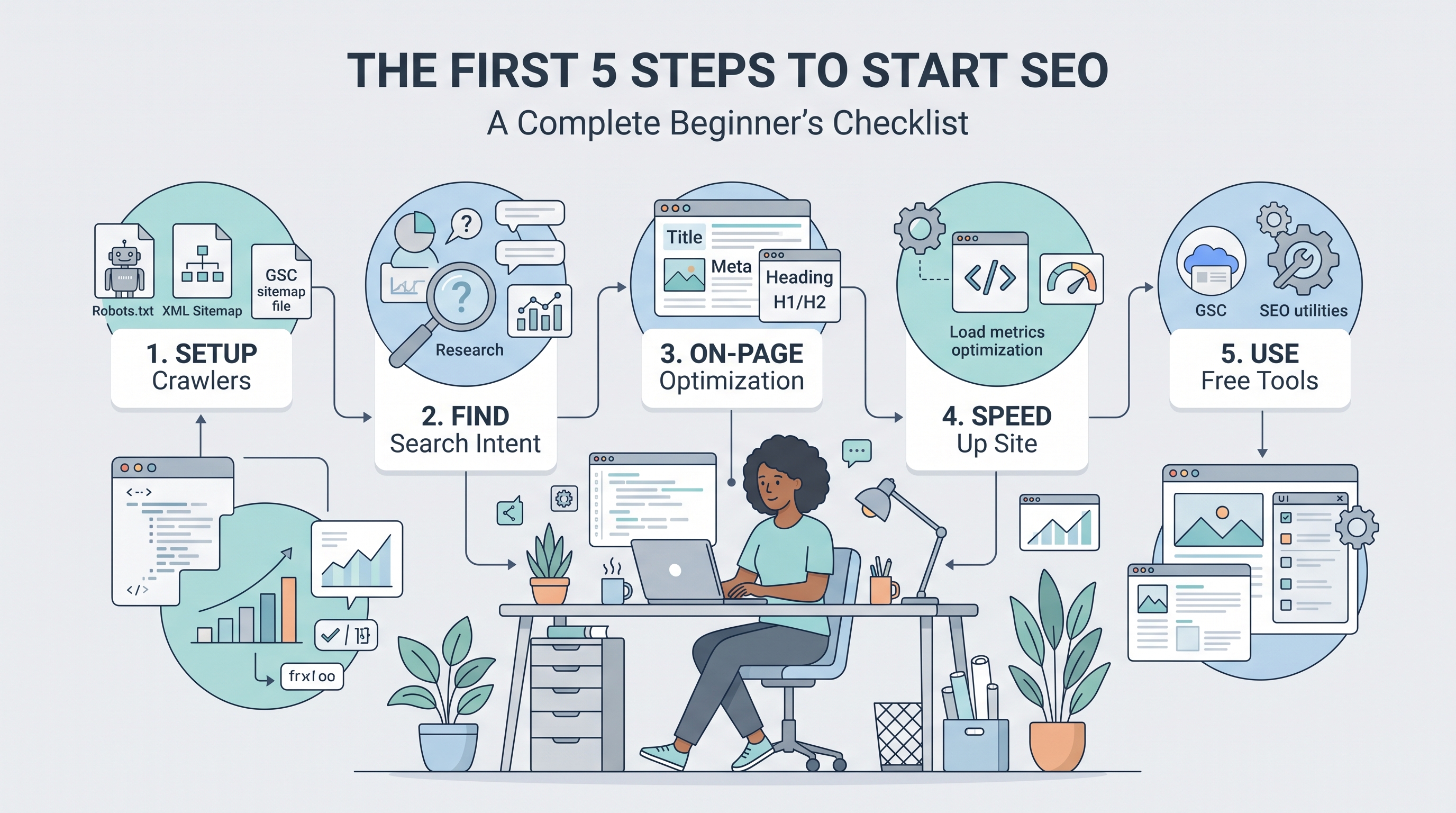
To cut through the noise, we have created a foolproof, 5-step beginner checklist. Follow this exact roadmap to lay a solid foundation for your website in 2026 and start driving real organic traffic from Google.
Table of Contents
Step 1: What is the First Step to Start SEO? (Technical Foundation)
What is the first step to start SEO? Before you write a single word of content, you must ensure that Google’s crawling bots can actually find and read your website. If your technical foundation is broken, nothing else matters.
You need two vital files in your website's root directory:
Robots.txt: This file acts as a traffic cop, telling search engines which pages they are allowed to look at and which ones they should ignore (like admin login pages).
XML Sitemap: This is a roadmap of every important link on your website, making it easy for Google to index your new posts quickly.
Actionable Tip: You do not need to code these files manually. Use the free
Step 2: Understanding the 4 Stages of SEO
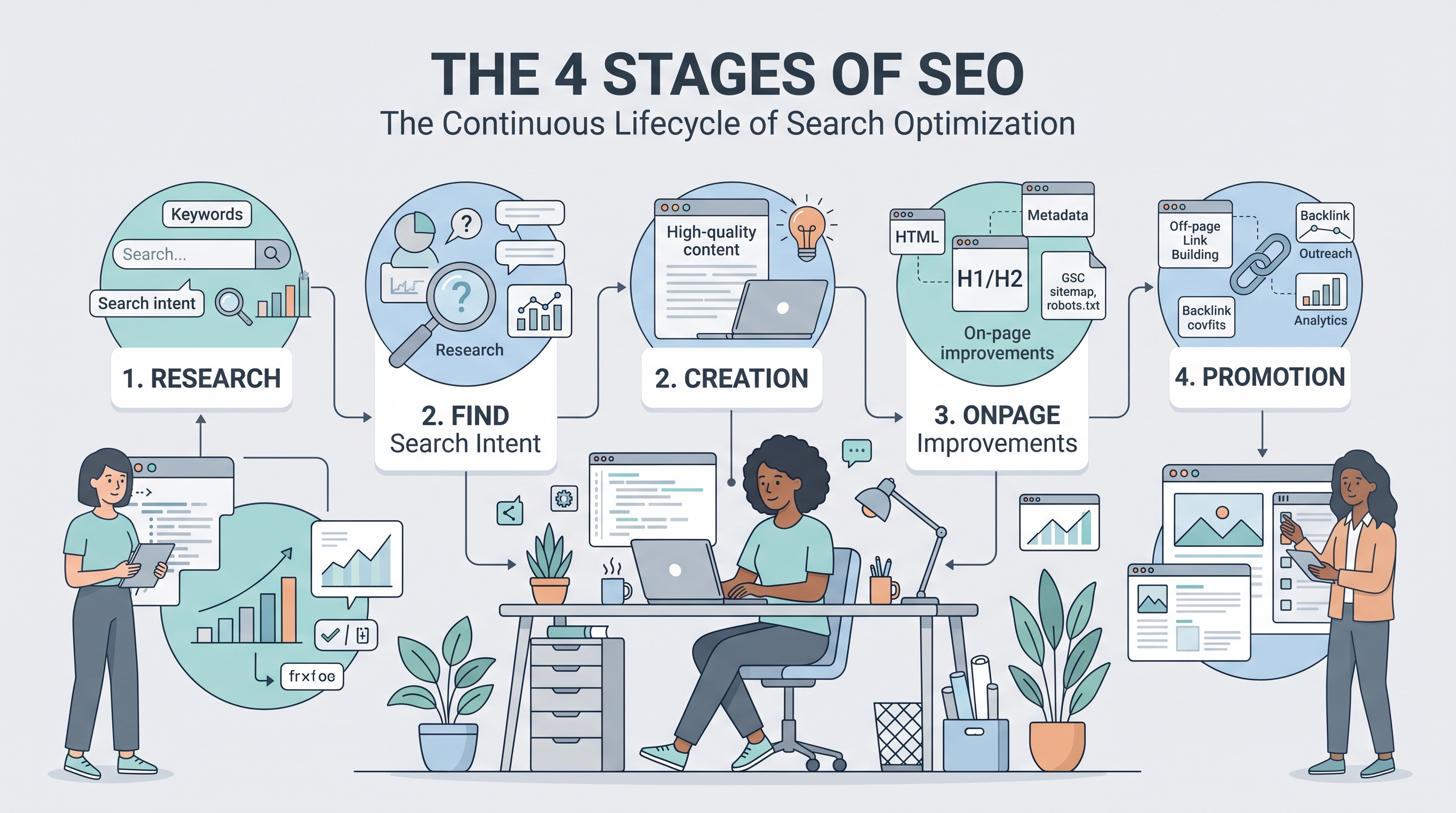
Once your site is technically sound, you need a strategy. Beginners often ask: What are the 4 stages of SEO? Every successful campaign follows this simple four-part cycle:
Research: Finding out what your target audience is typing into Google (Keyword Research).
Creation: Writing high-quality, helpful content that directly answers their questions.
Optimization: Formatting that content so search engines can easily understand it (On-Page SEO).
Promotion: Getting other websites to link to your content to build authority (Off-Page SEO).
For your brand new website, your first priority is heavily focusing on Stages 1 and 2. Find low-competition questions (just like the ones in the "People Also Ask" section) and write the best possible answers for them.
Step 3: Master Basic On-Page Optimization
After writing your content, you must format it correctly. This is called On-Page SEO. Google looks at specific "tags" to understand what your page is about.
Title Tags: This is the clickable blue link in search results. It must be catchy and contain your main keyword.
Meta Descriptions: The short summary below the title. While it doesn't directly boost rankings, a great description increases your Click-Through Rate (CTR).
H1, H2, H3 Headings: Break your text into logical sections so it is easy for humans to read and bots to scan.
Actionable Tip: Do not guess if your tags are the right length. Before publishing, run your titles and summaries through the free
Step 4: Speed Up Your Website
In 2026, user experience is a massive ranking factor. If your website takes more than 3 seconds to load, users will click the "back" button, and Google will penalize your rankings. This is known as a high "Bounce Rate."
Two of the biggest culprits of a slow website are large images and bloated code.
Always compress your images before uploading them.
Remove unnecessary spaces, comments, and line breaks from your website's backend code.
Actionable Tip: You can easily shrink your site's code without breaking it. Just copy your backend text and paste it into the
Step 5: Which SEO Tool is Best for Tracking?
Finally, you need to track your progress. A common question from beginners is: Which SEO tool is best?
The truth is, you do not need expensive $150/month subscriptions when you are just starting. The "best" tools for a beginner are actually free:
Google Search Console (GSC): This is Google’s official tool. It tells you exactly which keywords you are ranking for, how much traffic you get, and if your site has any crawling errors. Connect your site to GSC immediately.
Tooliby Web Utilities: For day-to-day tasks like checking keyword density, generating meta tags, or minifying code, a comprehensive free suite is your best friend.
Frequently Asked Questions (FAQs)
1. What is the first thing to do in SEO?
The very first thing is ensuring your website is indexable. Generate and submit an XML Sitemap and a Robots.txt file to Google Search Console so search engines can find you.
2. How long does it take for these 5 steps to show results?
SEO is a marathon, not a sprint. After completing these steps and publishing consistent content, it typically takes a brand new website 3 to 6 months to start seeing reliable organic traffic.
3. Do I need to hire an expert for the first step?
No. Setting up basic technical SEO and writing optimized content can be done entirely by yourself using free tutorials and online web utilities.
Conclusion: Start Checking Off Your List
Starting SEO does not have to be an overwhelming process. By following these first 5 steps—securing your technical foundation, following the 4 stages of optimization, formatting your on-page tags, speeding up your site, and using the right free tools—you are already ahead of 90% of new website owners.
Stop feeling paralyzed by information overload. Take action today.
Need help completing your checklist? Access over 400+ Free Online Web Tools at
What Is Tooliby Blog?
Tooliby Blog is a free publication covering developer tools, SEO, AI prompts and productivity — written by real practitioners who use these tools daily. No paywall, no account needed. Just practical content you can act on.
Can I share this article?
Yes — use the share buttons above to post on Twitter, LinkedIn, Facebook or WhatsApp. The more people read it, the better.
How do I write for Tooliby?
Click Write for Us and submit your article. We review within 48 hours and publish with full author credit and bio.